
NEW
Now available for enterprise teams
Turn landscape videos into
high-performing
portrait clips
AI-powered video engine that automatically reframes landscape content for mobile—keeping every subject perfectly in frame.

99.2%
Accuracy
3X
Faster Creation
3M +
50%
Increase engagement
AI
Protrait Video Engine
Your shortcut to creating mobile-first content
Generate portrait videos, add captions, create split-screen layouts and publish everywhere—all in one dashboard.
Smart Clips
AI detects the best moments and creates multiple clips automatically—perfect for summaries, shorts, and micro-content.
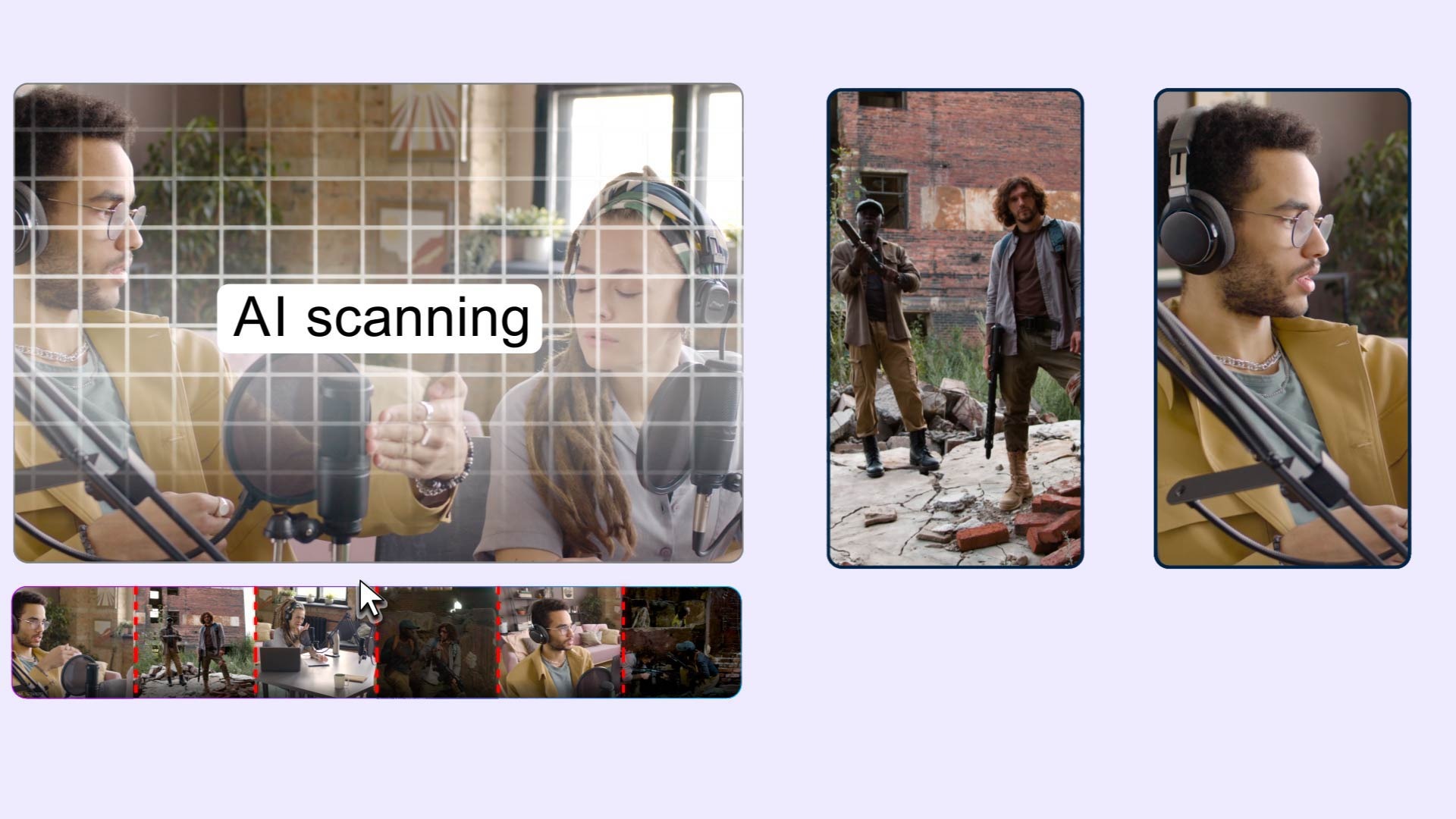
Landscape to Portrait
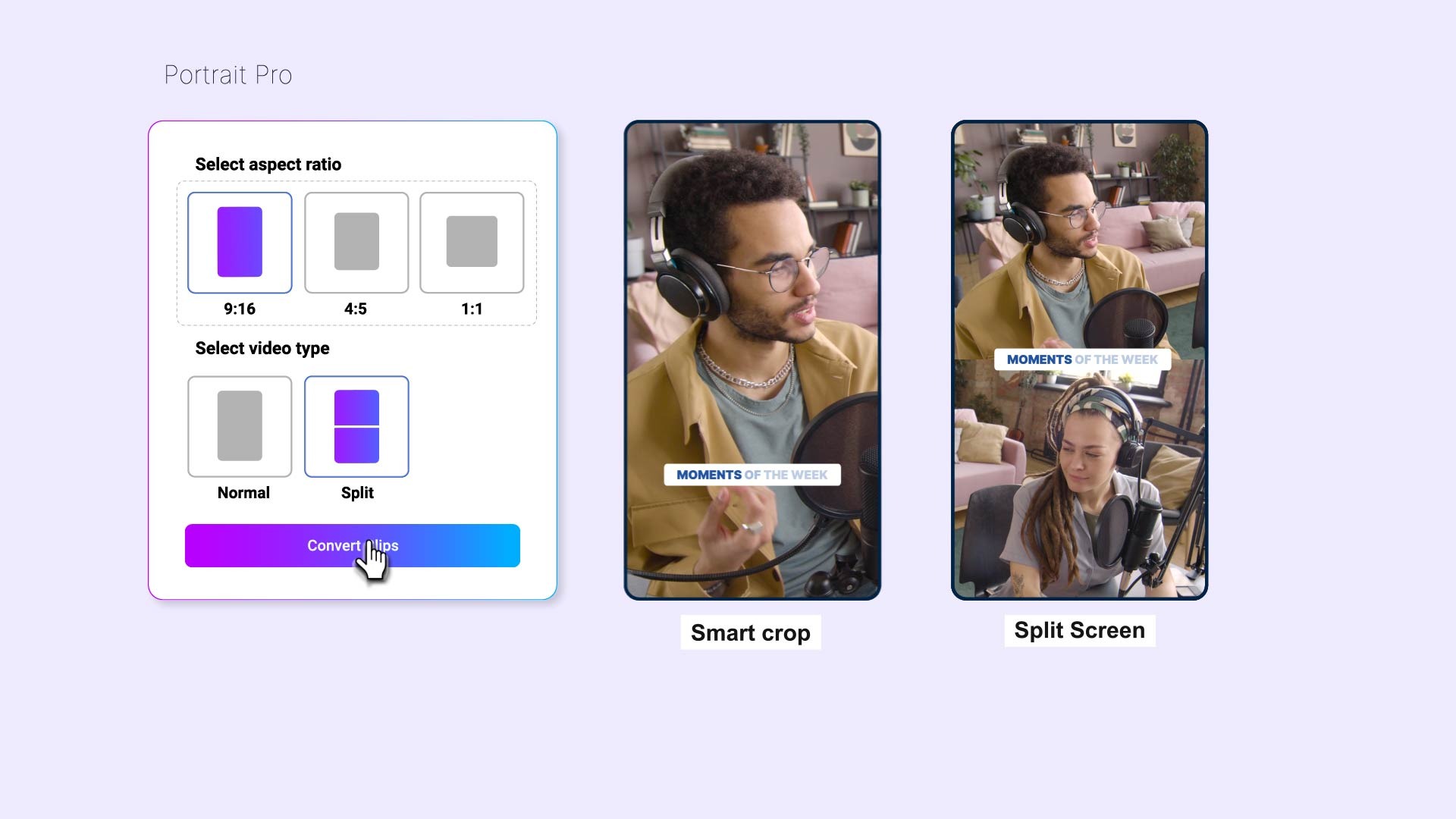
AI Smart Crop and Split Screen modes to convert any landscape video to mobile-first portrait format.
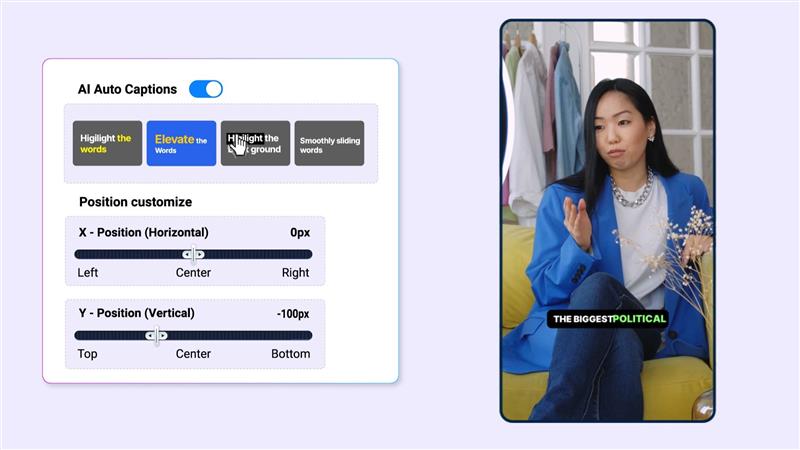
AI Auto Captions
Generate perfectly synced subtitles with custom editing and built-in templates.
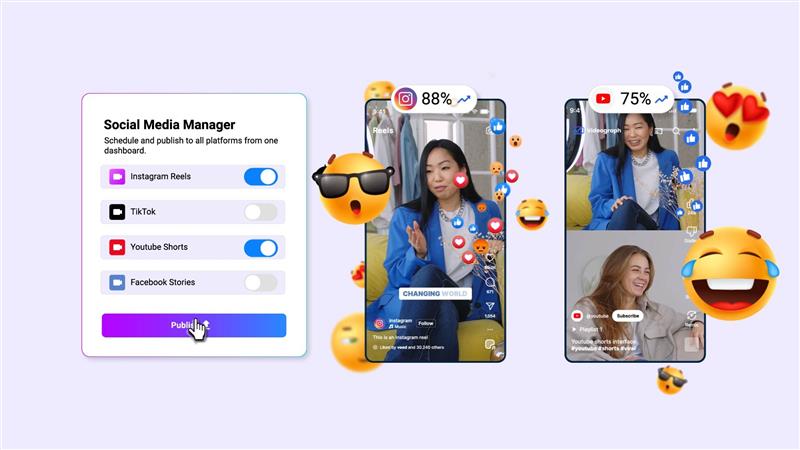
Social Media Manager
Schedule and publish to all platforms from one dashboard.
PRO
Advanced Features
Tools that transform your workflow
From smart clip creation to advanced analytics, everything you need is built right in.
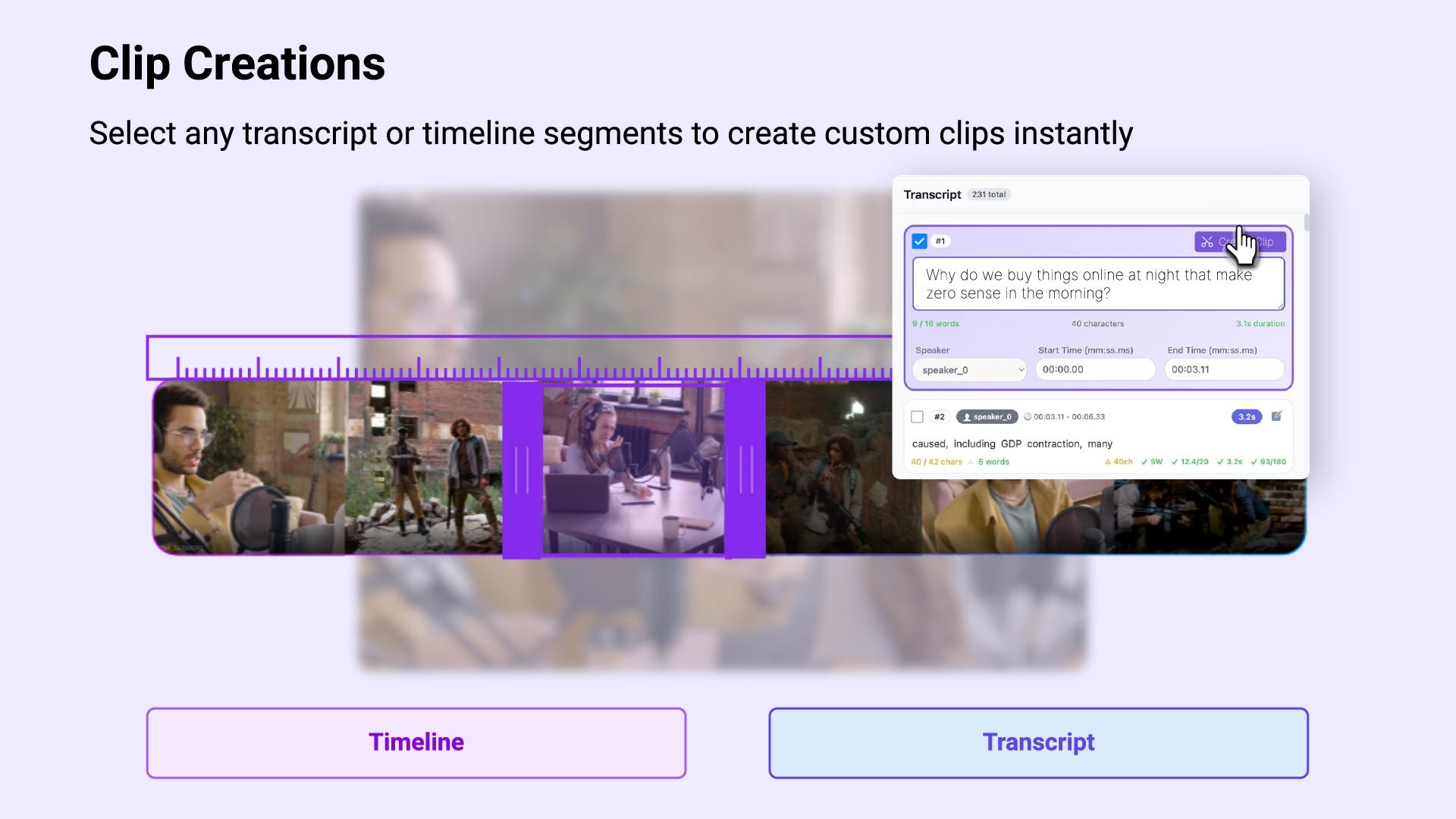
Clip Creations
Select any transcript or timeline segments to create custom clips instantly.
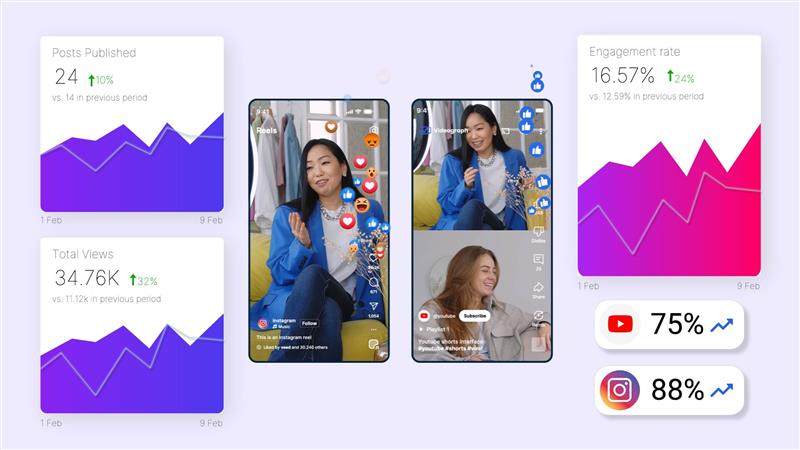
Analytics
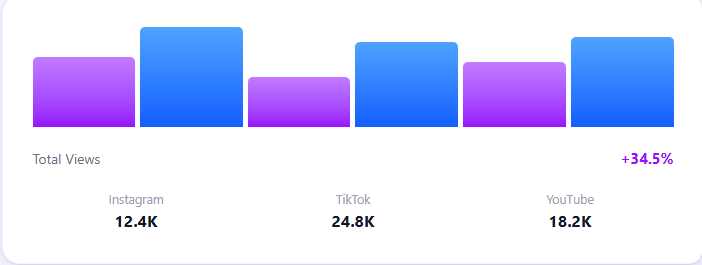
Track views, engagement, and geography across all platforms for VOD and Livestreams.
Metadata
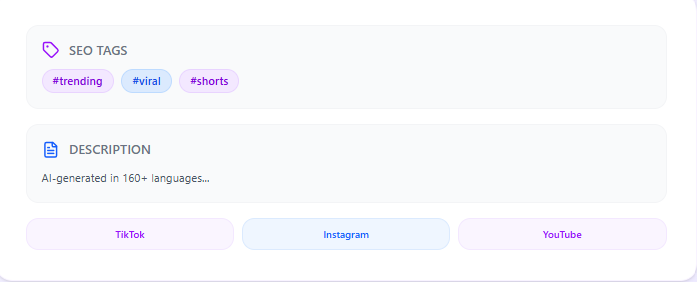
AI will create metadata for the clips to be published. Generate it in 160+ languages. Also SEO standard tags for each social media platform.
AI Video Editor
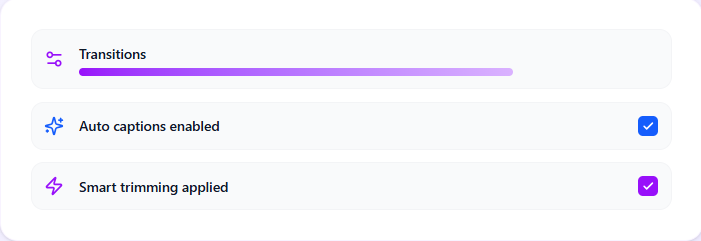
Intelligent editing with auto captions, transitions, smart trimming, frame adjustments for portrait videos, create brand templates and more.
Content Scheduling
Plan, organize, and publish content automatically — right on schedule.
Built for your workflow
Teams creating video content at scale

Creators & Influencers
Turn streams, podcasts, and long-form videos into high-performing short clips for TikTok, Reels, and Shorts. Automatically reformat, caption, and optimize content to stay consistent, grow faster, and publish more without extra editing time.

Newsrooms & Broadcasters
Scale mobile-first content production without expanding your editorial team. Quickly transform live broadcasts, interviews, and reports into ready-to-publish clips optimized for digital and social distribution.

Sports Teams
Create highlight reels instantly from live games, press conferences, and broadcast footage. Capture key moments, format for vertical platforms, and publish quickly to keep fans engaged in real time.

OTT Platforms
Extend your content reach beyond your platform with mobile-optimized clips and promotional snippets. Repurpose episodes, trailers, and featured segments into engaging short-form content that attracts and retains viewers.
See Portrait Pro in Action
Watch how landscape videos are intelligently converted to portrait format with AI-powered framing and split-screen capabilities
Trusted by content teams
See how Portrait Pro transforms workflows
2–3× faster
Turnaround time
“What used to take hours of manual cropping now happens automatically.”
Senior Video Editor
Production Studio
Up to 40%
Turnaround time
“What used to take hours of manual cropping now happens automatically.”
Senior Video Editor
Production Studio
100%
Turnaround time
“What used to take hours of manual cropping now happens automatically.”
Senior Video Editor
Production Studio
2–3× faster
Turnaround time
“What used to take hours of manual cropping now happens automatically.”
Senior Video Editor
Production Studio
Up to 40%
Turnaround time
“What used to take hours of manual cropping now happens automatically.”
Senior Video Editor
Production Studio
100%
Turnaround time
“What used to take hours of manual cropping now happens automatically.”
Senior Video Editor
Production Studio
Frequently asked questions
What is Portrait Pro?
Portrait Pro is an AI-powered video platform that helps creators, media teams, sports organizations, and OTT platforms transform long-form content into short, mobile-optimized videos — complete with captions, formatting, metadata, and publishing tools in one workflow.
Can I create vertical videos for TikTok, Reels, and Shorts?
Absolutely. Videos can be automatically transformed into portrait (9:16), square (1:1), or landscape (16:9) formats to match platform requirements.
When should I use Split Screen instead of Smart Crop?
Smart Crop focuses on a primary subject, while Split Screen keeps multiple speakers visible at once. Split Screen works best for conversations where both participants need equal visibility such as during Podcasts, and Interviews.
Can I add captions and templates after trimming?
Yes. After trimming or clipping a video, you can instantly apply AI-generated captions, branded templates, overlays, and aspect ratio adjustments without exporting the file.
Will this help me grow on TikTok, Reels, and Shorts?
Portrait Pro optimizes videos for vertical formats and mobile viewing, which can improve watch time and engagement compared to unformatted landscape uploads.
Is Portrait Pro suitable for high-volume publishing?
Yes. The platform is built to support large content libraries and high-frequency publishing workflows without slowing down production teams.